<!DOCTYPE html>
<html>

<head>
    <script src="https://code.jquery.com/jquery-3.6.0.min.js"></script>
    <title>jQuery Example | vtucode</title>

    <style>
        body {
            font-family: 'Roboto', sans-serif;
            background-color: #f4f7f6;
            margin: 0;
            padding: 0;
            display: flex;
            justify-content: center;
            align-items: center;
            height: 100vh;
        }

        .container {
            text-align: center;
            background: #fff;
            padding: 30px;
            border-radius: 12px;
            box-shadow: 0 4px 20px rgba(0, 0, 0, 0.1);
        }

        #paragraph {
            margin-bottom: 20px;
            color: #333;
            font-size: 18px;
        }

        #list {
            margin-bottom: 20px;
            list-style: none;
            padding: 0;
        }

        #list li {
            background: #e8f0fe;
            margin: 5px 0;
            padding: 10px;
            border-radius: 8px;
        }

        .box {
            width: 100px;
            height: 100px;
            background-color: #007bff;
            margin: 20px auto;
            line-height: 100px;
            color: white;
            text-align: center;
            border-radius: 8px;
        }

        button {
            padding: 12px 24px;
            margin: 10px;
            cursor: pointer;
            border: none;
            border-radius: 6px;
            font-size: 16px;
            background: #007bff;
            color: white;
        }
    </style>
</head>

<body>

    <div class="container">
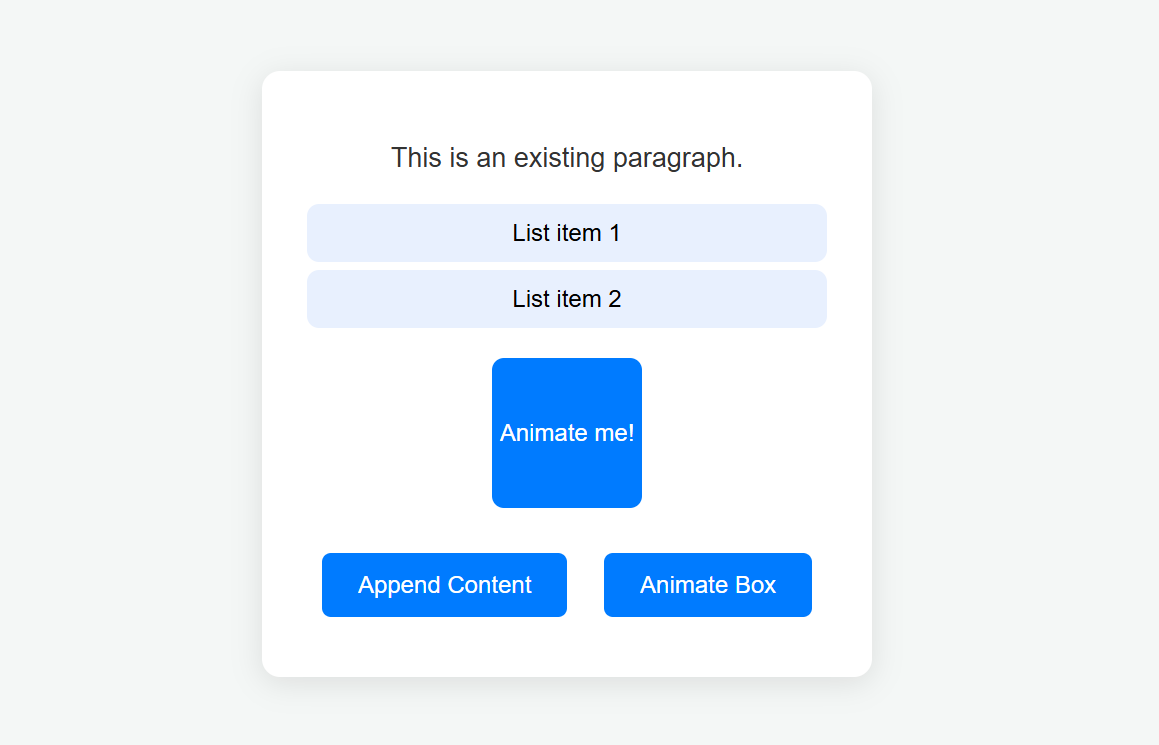
        <p id="paragraph">This is an existing paragraph.</p>

        <ul id="list">
            <li>List item 1</li>
            <li>List item 2</li>
        </ul>

        <div class="box" id="box">Animate me!</div>

        <button id="appendButton">Append Content</button>
        <button id="animateButton">Animate Box</button>
    </div>

    <script>
        $(document).ready(function () {

            $("#appendButton").click(function () {
                $("#paragraph").append(" Appended text.");
                $("#list").append("<li>New appended list item</li>");
            });

            $("#animateButton").click(function () {

                $("#box").stop(true, true).css({
                    width: "100px",
                    height: "100px",
                    opacity: 1,
                    backgroundColor: "blue"
                }).animate({
                    width: "200px",
                    height: "200px",
                    opacity: 0.5
                }, 1000, function () {
                    $(this).css("background-color", "green");
                });
            });
        });
    </script>

</body>
</html>