<!DOCTYPE html>
<html>
  <head>
    <title>JSON & Crypto Demo</title>
    <style>
      body {
        font-family: Arial;
        margin: 20px;
        background: #f4f4f4;
      }
      h2 {
        color: #333;
      }
      textarea {
        width: 100%;
        height: 120px;
        margin-top: 10px;
      }
      button {
        padding: 10px 18px;
        margin: 5px 0;
        cursor: pointer;
      }
      .box {
        background: #fff;
        padding: 15px;
        margin: 15px 0;
        border-radius: 6px;
      }
    </style>
  </head>
  <body>
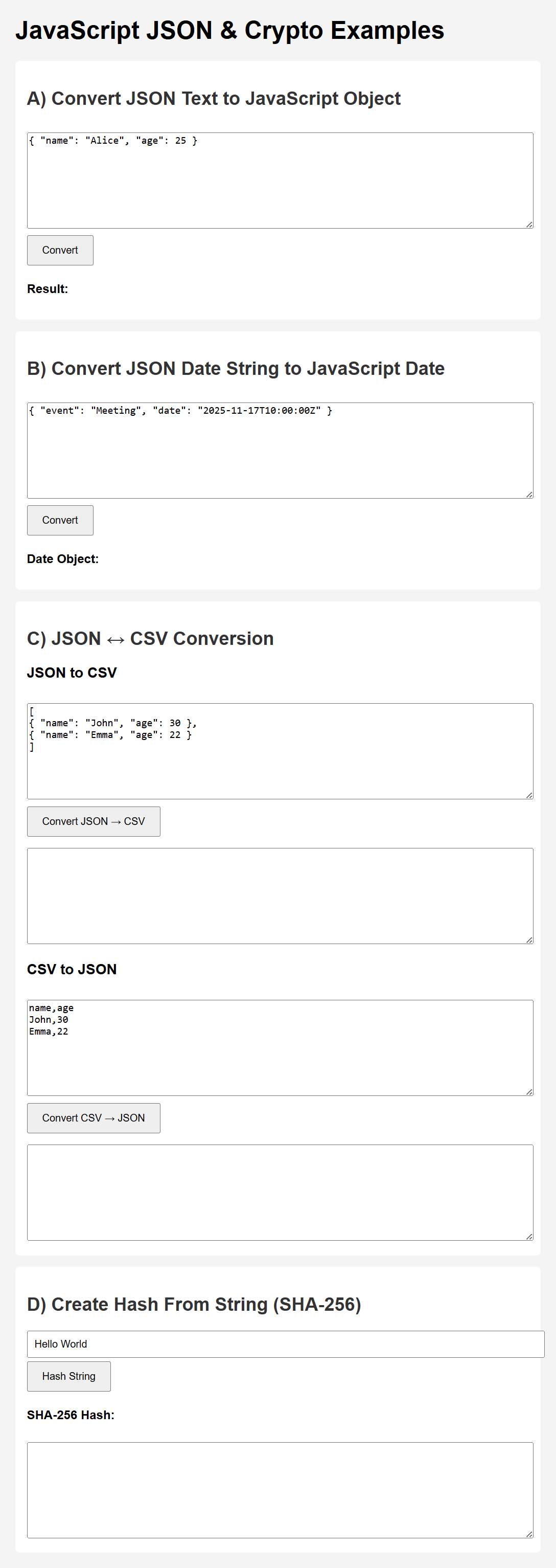
    <h1>JavaScript JSON & Crypto Examples</h1>
    <!-- A) JSON TEXT -> JS OBJECT -->
    <div class="box">
      <h2>A) Convert JSON Text to JavaScript Object</h2>
      <textarea id="jsonInput">{ "name": "Alice", "age": 25 }</textarea>
      <button onclick="convertToObject()">Convert</button>
      <p><b>Result:</b> <span id="jsonObjectResult"></span></p>
    </div>
    <!-- B) JSON DATE -> Date Object -->
    <div class="box">
      <h2>B) Convert JSON Date String to JavaScript Date</h2>
      <textarea id="dateInput">
{ "event": "Meeting", "date": "2025-11-17T10:00:00Z" }</textarea
      >
      <button onclick="convertDate()">Convert</button>
      <p><b>Date Object:</b> <span id="dateResult"></span></p>
    </div>
    <!-- C) JSON <-> CSV -->
    <div class="box">
      <h2>C) JSON ↔ CSV Conversion</h2>
      <h3>JSON to CSV</h3>
      <textarea id="jsonCSVInput">
[
{ "name": "John", "age": 30 },
{ "name": "Emma", "age": 22 }
]</textarea
      >
      <button onclick="jsonToCSV()">Convert JSON → CSV</button>
      <textarea id="csvOutput"></textarea>

      <h3>CSV to JSON</h3>
      <textarea id="csvInput">
name,age
John,30
Emma,22</textarea
      >
      <button onclick="csvToJSON()">Convert CSV → JSON</button>
      <textarea id="jsonOutput"></textarea>
    </div>
    <!-- D) HASH STRING -->
    <div class="box">
      <h2>D) Create Hash From String (SHA-256)</h2>
      <input
        type="text"
        id="hashInput"
        value="Hello World"
        style="width: 100%; padding: 8px"
      />
      <button onclick="hashString()">Hash String</button>
      <p><b>SHA-256 Hash:</b></p>
      <textarea id="hashOutput"></textarea>
    </div>
    <script>
      // A) JSON TEXT → OBJECT
      function convertToObject() {
        try {
          let obj = JSON.parse(document.getElementById("jsonInput").value);
          document.getElementById("jsonObjectResult").innerText =
            JSON.stringify(obj, null, 2);
        } catch (err) {
          alert("Invalid JSON");
        }
      }
      // B) JSON DATE STRING → Date Object
      function convertDate() {
        let json = JSON.parse(document.getElementById("dateInput").value);
        let dateObj = new Date(json.date);
        document.getElementById("dateResult").innerText = dateObj.toString();
      }
      // C1) JSON → CSV
      function jsonToCSV() {
        let json = JSON.parse(document.getElementById("jsonCSVInput").value);
        let keys = Object.keys(json[0]);
        let csv = keys.join(",") + "\n";
        json.forEach((row) => {
          csv += keys.map((k) => row[k]).join(",") + "\n";
        });
        document.getElementById("csvOutput").value = csv;
      }
      // C2) CSV → JSON
      function csvToJSON() {
        let csv = document.getElementById("csvInput").value.trim().split("\n");
        let headers = csv[0].split(",");
        let output = [];
        for (let i = 1; i < csv.length; i++) {
          let row = csv[i].split(",");
          let obj = {};
          headers.forEach((h, idx) => (obj[h] = row[idx]));
          output.push(obj);
        }
        document.getElementById("jsonOutput").value = JSON.stringify(
          output,
          null,
          2
        );
      }
      // D) HASH STRING (Browser uses SubtleCrypto)
      async function hashString() {
        const text = document.getElementById("hashInput").value;
        const encoder = new TextEncoder();
        const data = encoder.encode(text);
        const hashBuffer = await crypto.subtle.digest("SHA-256", data);
        const hashArray = Array.from(new Uint8Array(hashBuffer));
        const hashHex = hashArray
          .map((b) => b.toString(16).padStart(2, "0"))
          .join("");
        document.getElementById("hashOutput").value = hashHex;
      }
    </script>
  </body>
</html>